Practice Intelligence
Practice Intelligence turns the open web into a continuously-updated, evidence-grounded market brief for each practice (e.g. Finance & Risk). You define what a practice should monitor; Celeredge collects signals from Reddit and reliable web sources, filters out the noise, then synthesizes what remains into actionable insights — trends, opportunities, risks, and recommendations — each grounded in its underlying sources.
Find it under Practices → (a practice) → Intelligence.
How it works
Monitoring topic (keywords, cadence)
        │
        ▼
collection worker  ──►  Reddit search  ──►  relevance gate  ──►  Signal
                          + reliable-domain web crawl           (raw)
        │
        ▼
LLM synthesis  ──►  Insight  (trend / opportunity / risk / recommendation / summary)
        │
        ▼
Intelligence dashboard  (per practice)
- Topics — each practice has one or more monitoring topics: a name, a set of keywords, and a collection cadence (Daily / Weekly / Monthly).
- Collection — a background worker searches Reddit for the topic keywords, keeps only topically-relevant posts (a keyword-relevance gate drops off-topic noise), extracts external URLs, and crawls those from a curated reliable-domain allowlist (e.g. ft.com, bloomberg.com, hbr.org).
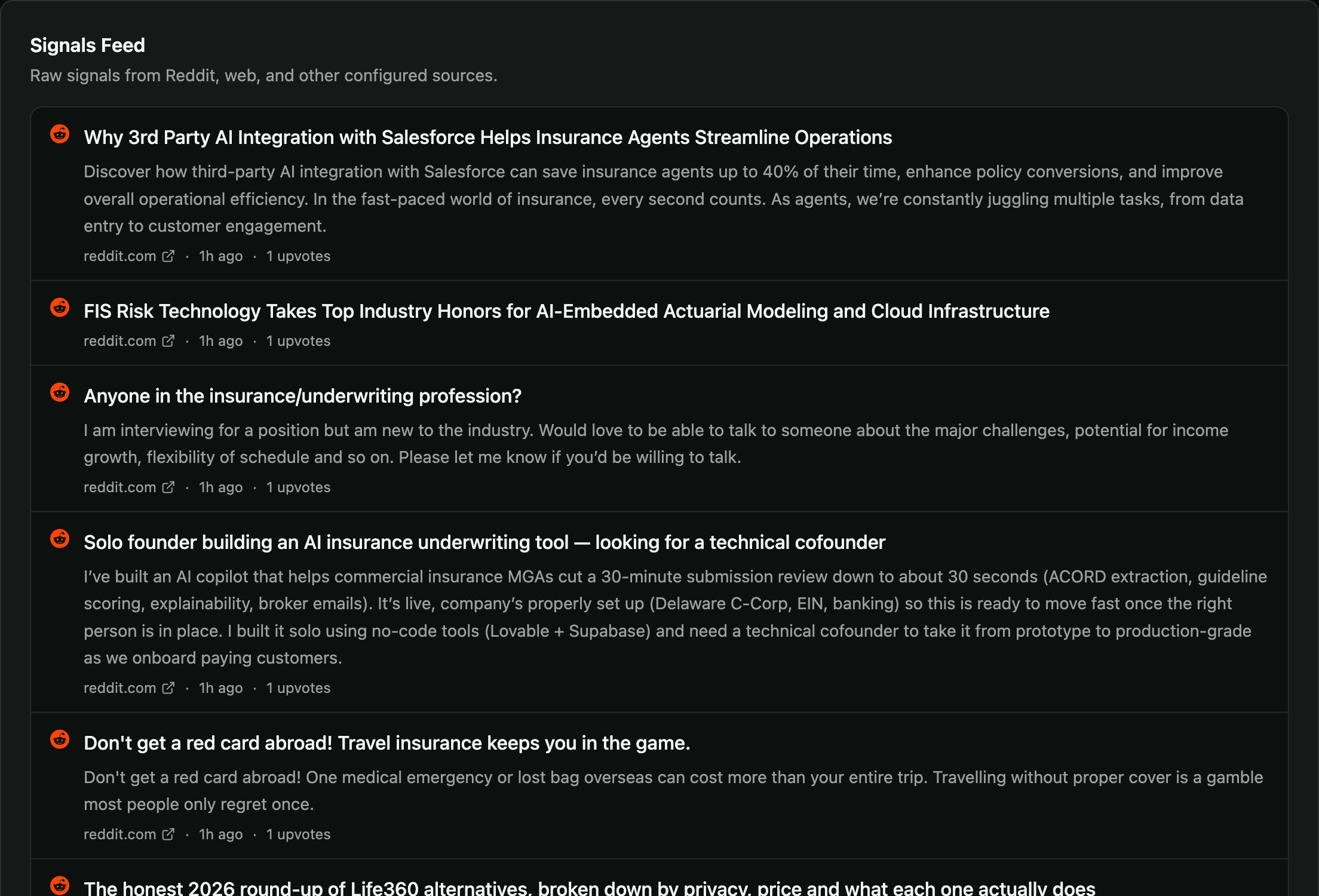
- Signals — every kept item is stored as a signal and shown in the Signals Feed.
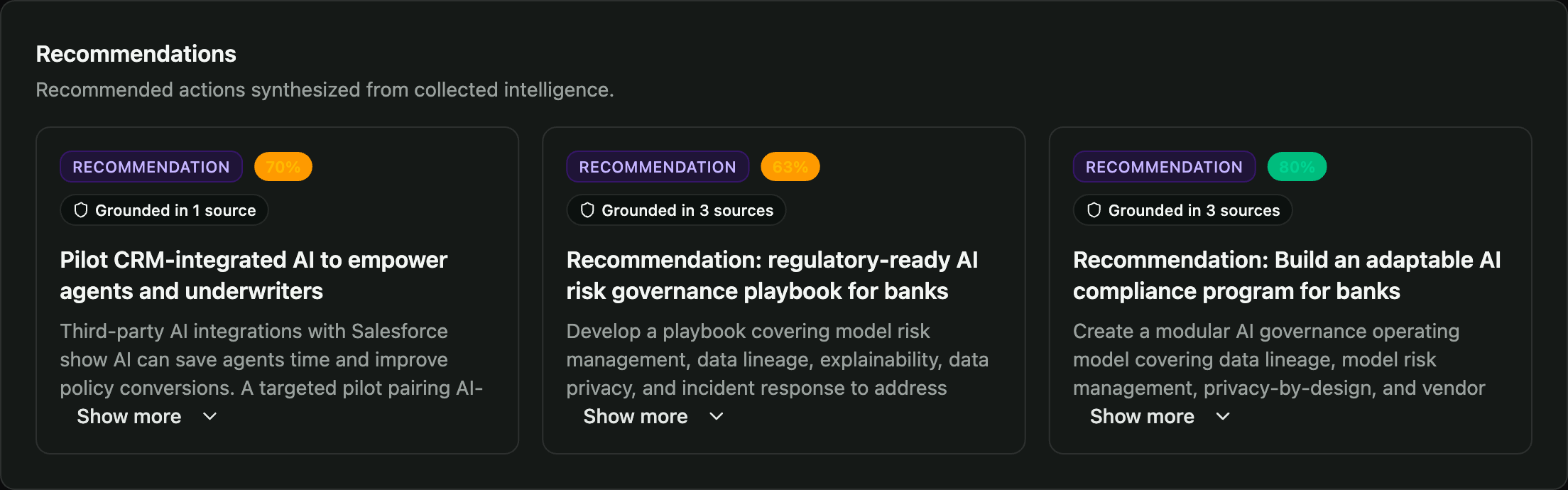
- Insights — the collected signals are synthesized into typed insights, each with a confidence score and a “Grounded in N sources” provenance badge.
Set up monitoring
Practices are an Enterprise capability, managed by an Organization Admin. Setting up a topic takes about a minute.
1. Open the practice's Intelligence tab
Go to Practices → (choose a practice) → Intelligence. This is the dashboard; insights appear here once a topic has collected.
2. Create a monitoring topic
Click New topic (or Manage topics → New topic) and fill in the form:
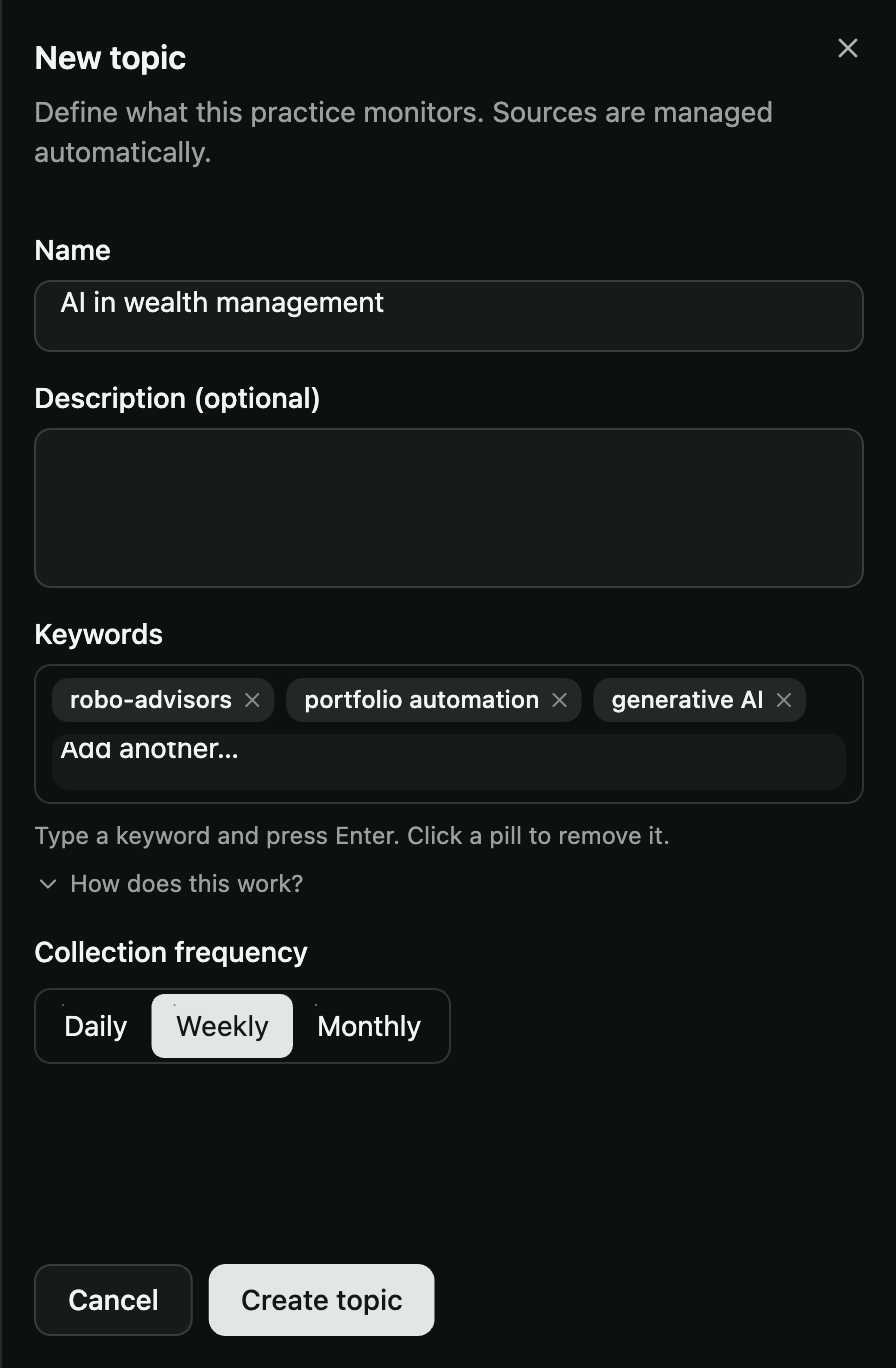
| Field | What to enter |
|---|---|
| Name | A human label for what this topic watches, e.g. “AI in wealth management”. |
| Description (optional) | A sentence on what the topic should track. |
| Keywords | The terms that drive collection. Type a keyword and press Enter; it becomes a removable pill. Add 2–5 focused keywords (e.g. robo-advisors, portfolio automation, generative AI). More specific keywords mean less noise. |
| Collection frequency | Daily, Weekly, or Monthly — how often the topic re-collects. |
Click Create topic. Sources are managed automatically — you don't configure Reddit or web crawling yourself.
3. First collection
A newly-created topic is due immediately and is picked up on the next collection run. When it completes, the topic card updates from “Not collected yet” and insights start appearing on the dashboard tabs. Thereafter it re-collects on its cadence.
4. Manage topics
On Manage topics you can Edit a topic's keywords and cadence, or Delete it. Use the Active / Archived filter to focus the list. Deleting a topic also removes its insights, so archive rather than delete if you want to keep the history.
- Keep keywords focused. Broad single words pull generic hot posts; 2–3 word phrases stay on-topic.
- One theme per topic. Separate topics (e.g. AI underwriting vs AI compliance) produce sharper, separately-filterable insights.
- Match cadence to pace. Fast-moving areas → Weekly; slower structural themes → Monthly.
Reading the dashboard
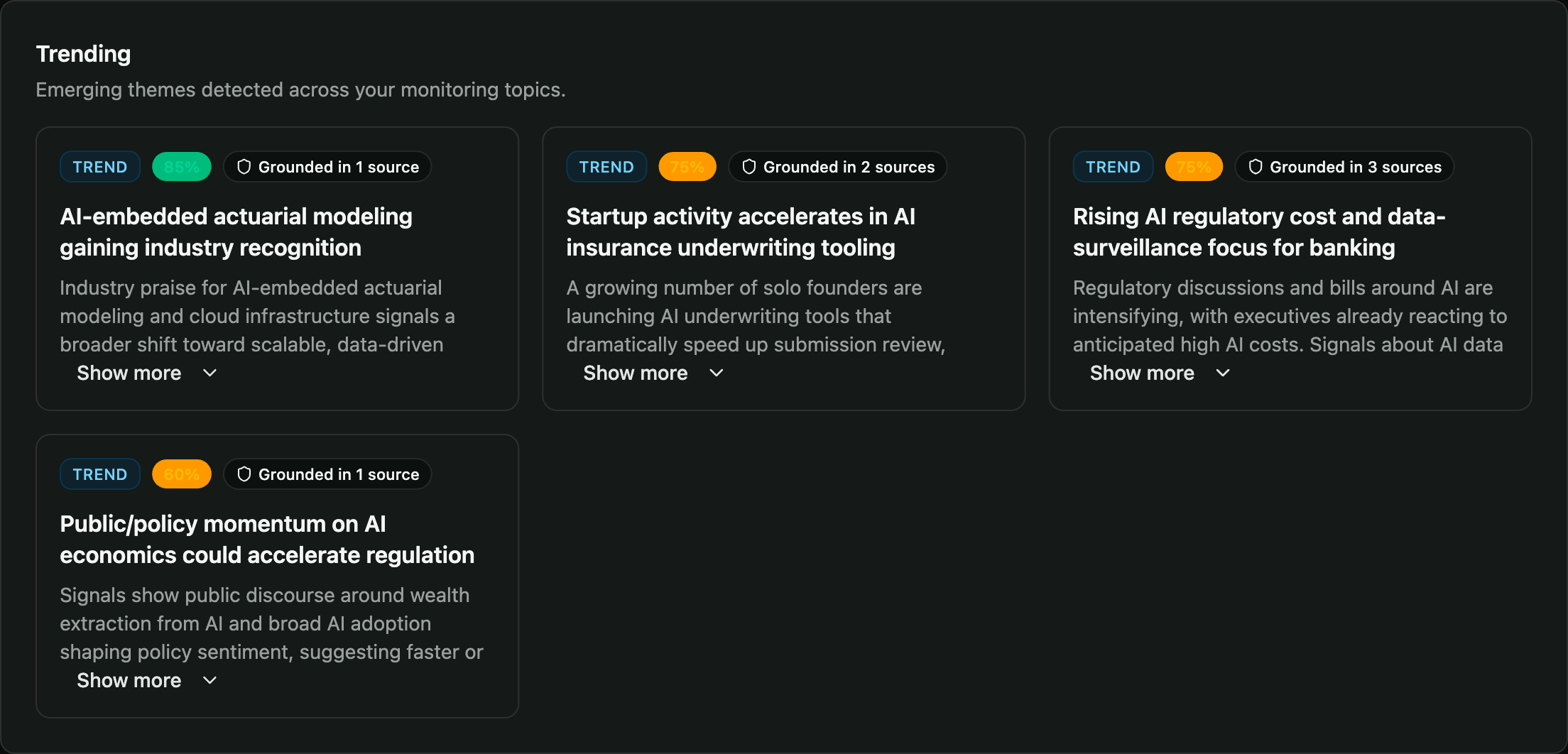
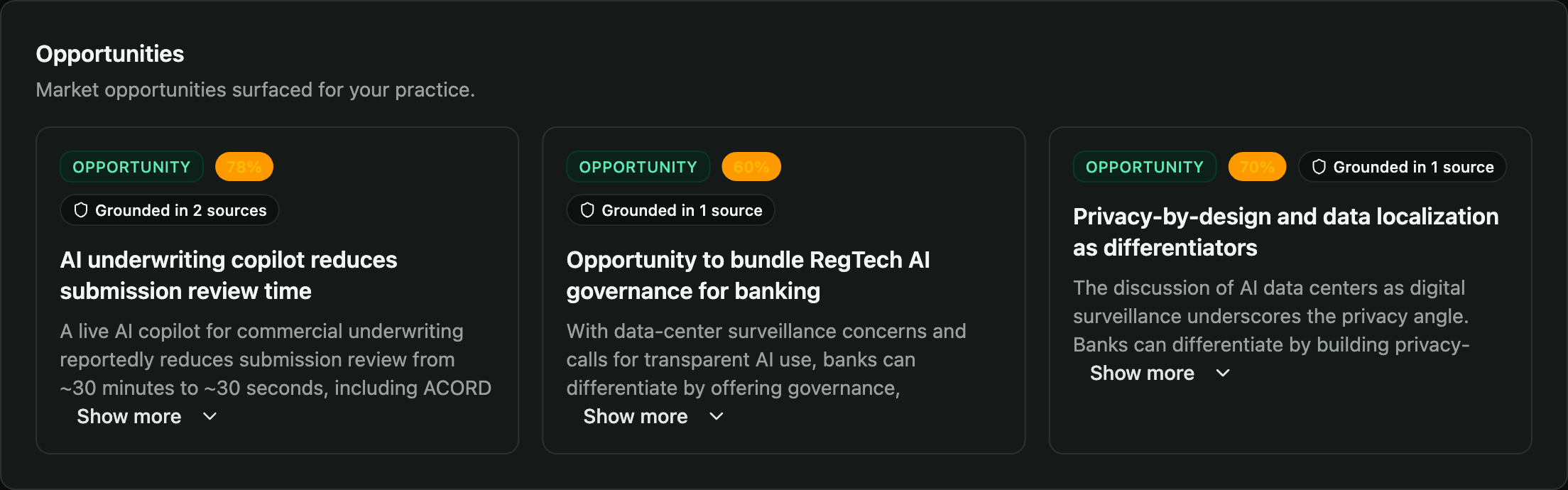
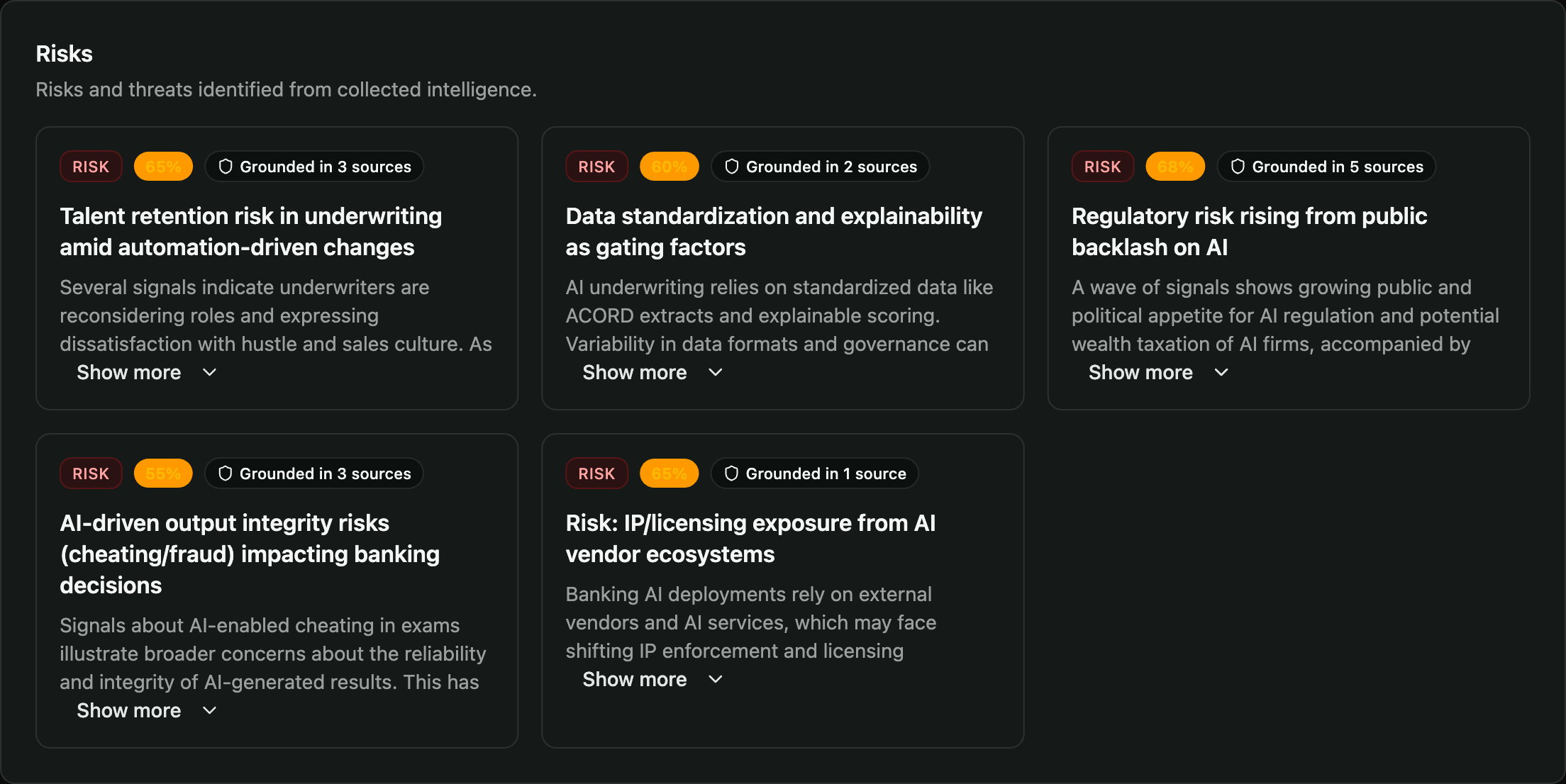
Select a topic (or All topics) from the dropdown, then move across the tabs. Each insight card shows its type, a confidence score, and how many sources it is grounded in.
Trending
Emerging themes detected across your monitoring topics.
Opportunities
Market openings surfaced for your practice.
Risks
Threats and downside signals identified from collected intelligence.
Recommendations
Concrete recommended actions synthesized from the intelligence.
Signals Feed
The raw signals — from Reddit, web, and other configured sources — that the insights are built from.
The Executive Summary tab shows only summary-type insights — a high-level synthesis across all active topics. If a collection run produced no summary-type insight, this tab can appear empty even though the other tabs have content.
Insight types
| Type | Tab | What it captures |
|---|---|---|
trend | Trending | Emerging themes gaining momentum |
opportunity | Opportunities | Market openings the practice could pursue |
risk | Risks | Threats and downside signals |
recommendation | Recommendations | Concrete recommended actions |
summary | Executive Summary | High-level cross-topic synthesis |
Every insight links back to the signals it was grounded in via the “Grounded in N sources” badge — open a card to trace its evidence.
FAQ
How often does it collect? On the topic's cadence (Daily / Weekly / Monthly). A brand-new topic collects on the next run, then follows its schedule.
Where do sources come from? Reddit search on your keywords, plus web articles from a curated reliable-domain allowlist. Off-topic Reddit posts are dropped before they become signals.
Why is a tab empty for a topic? That topic produced no insight of that type in its last run (e.g. no summary insight). Other tabs may still have content.
Can I keep a topic's history without cluttering the list? Archive it instead of deleting — delete also removes the topic's insights.