Quick Start
This is the five-minute tour. It gets a new firm from signing in to a first evidence-backed result. For a full worked example, see Your First Engagement.
1. Sign in
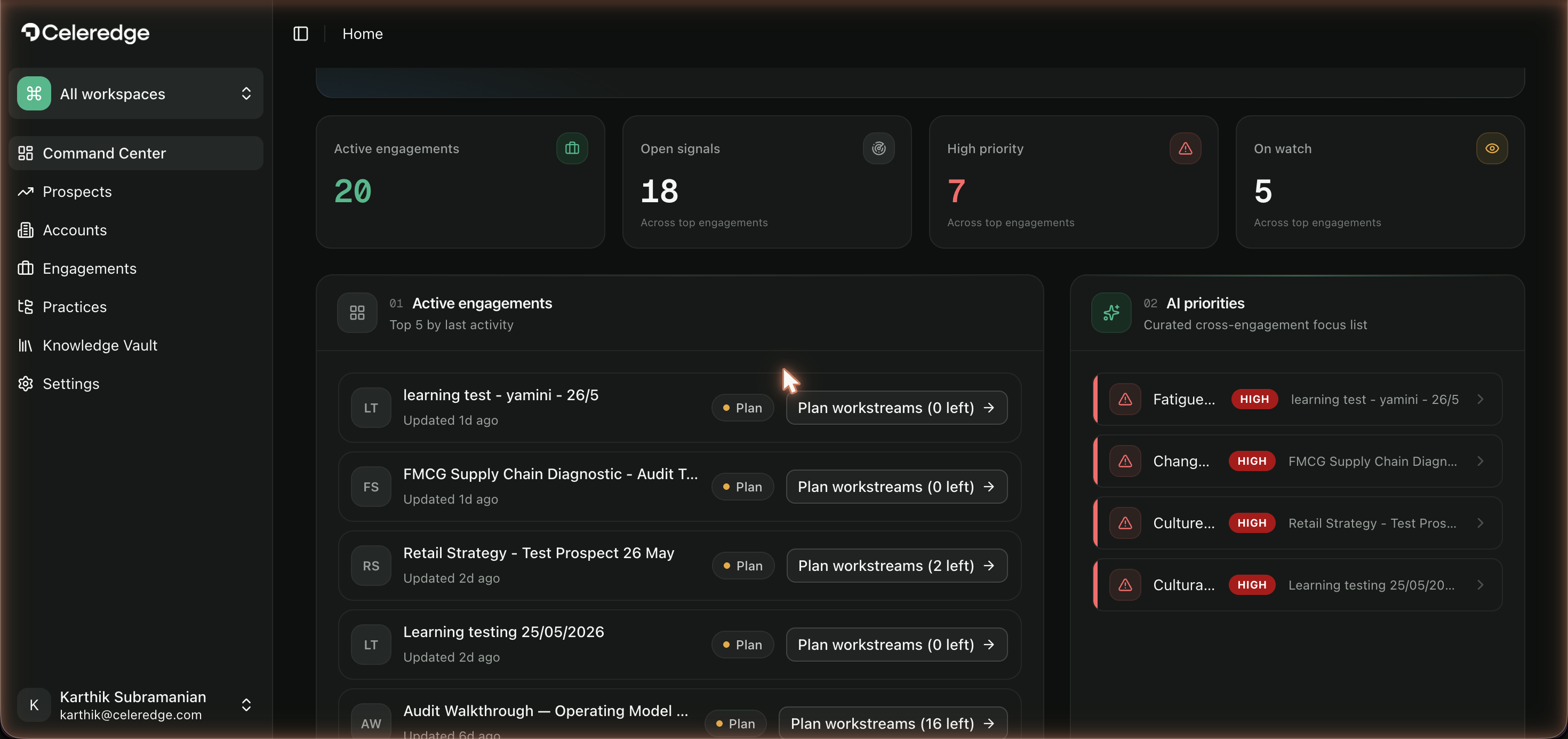
Open your firm's Celeredge workspace and sign in. You'll land on the Command Center — your firm's home, showing active engagements, open signals, and AI-curated priorities. On a brand-new tenant these are empty; that's expected.
2. Set up your firm (Org Admin)
If you're the Organization Admin, do these once:
- Invite your team — Settings → Users → Invite User, assigning each person a role.
- Choose your practices — open Practices and turn on the methodology areas your firm offers; assign Practice Leads.
- Connect your tools (optional but recommended) — open Integrations to connect your CRM, document storage, and survey tools so engagements can pull in real data.
3. Create a client and an engagement
- Add a Prospect or jump straight to Accounts → create the client company.
- Create an Engagement under that account (
Engagements → New). Give it a name, objective, industry, and practices. See Engagements.
4. Bring in evidence
Inside the engagement, open Data & sources:
- Upload the client's documents (they're indexed for AI retrieval), and/or
- Connect a database or document source,
- Optionally run an AI interview to capture evidence conversationally.
See Data & sources.
5. Run your first assessment (Diagnose)
Open Diagnose and choose a method — Assessment or AI baseline. (Causal & impact and Financial model live in the Analysis workspace.) For a framework assessment, pick a practice then a framework, check the data readiness, and click Run Assessment. AI drafts an answer for each question from your evidence, streaming in as it goes; review each answer's confidence and cited evidence, then Accept answers to unlock analysis and carry the resulting gaps into Deliver. See Diagnose.
6. Produce a deliverable
From Deliver, generate a report, build a deck in Deck Studio, or publish a dashboard. Every output is grounded in the evidence you collected and traceable back to its source. See Deliver.
What you just did
You ran the full Celeredge loop. Next, do it for real with Your First Engagement.