Deliver
Deliver is the second and final lifecycle phase, after Diagnose: turning the engagement's work into client-ready artifacts. Completed artifacts register as deliverables on the engagement and roll up into the firm-wide Knowledge Vault.
Who can access
Members of the engagement team.
How it works
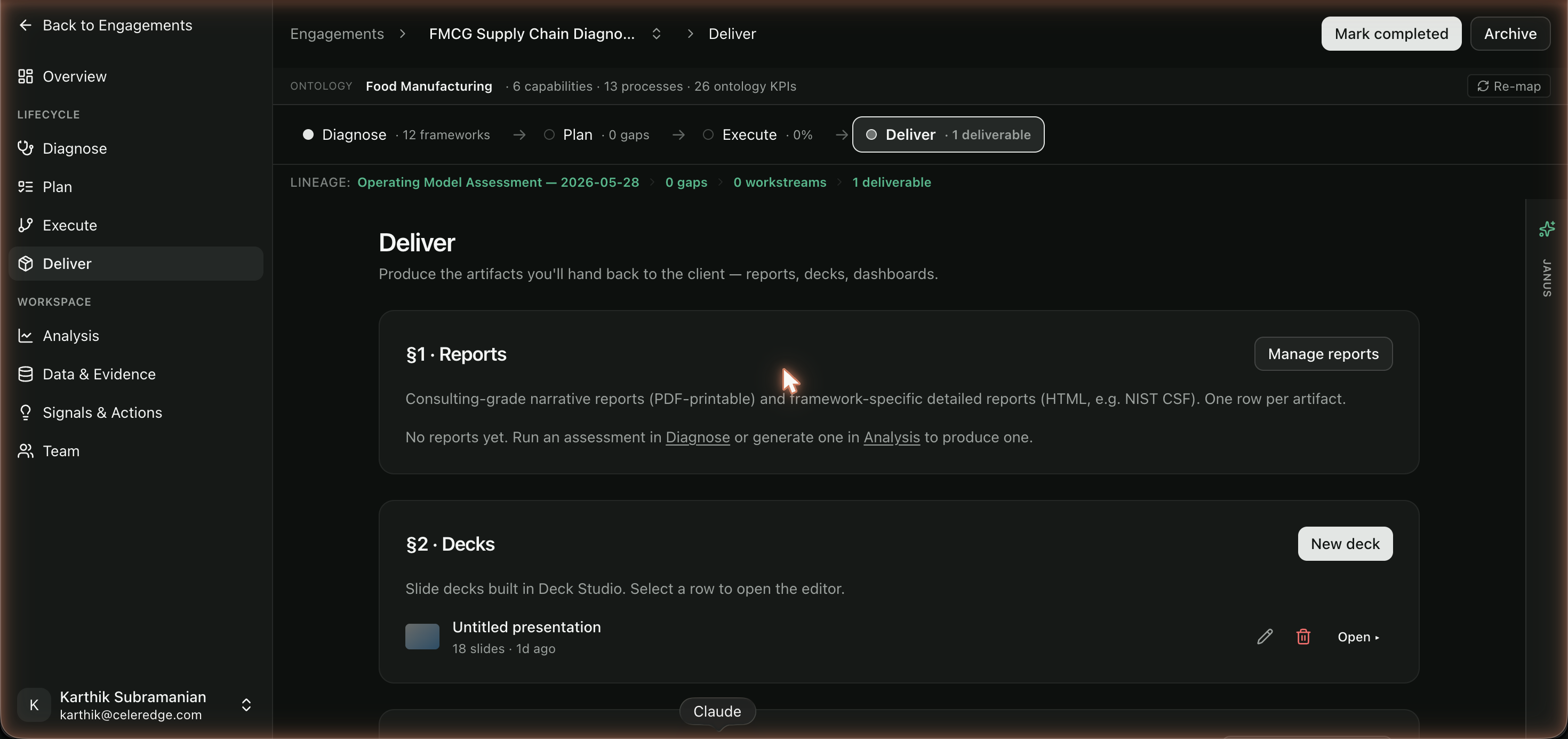
Deliver has three sections, one per artifact type.
| Section | Output |
|---|---|
| 1. Reports | Narrative PDF reports, plus framework-specific HTML reports (e.g. a NIST CSF report) |
| 2. Decks | Presentations built in Deck Studio — a brief → storyboard → visuals pipeline |
| 3. Dashboards | KPI dashboards generated from the engagement's analysis |
Every artifact is grounded in the evidence collected during the engagement and is traceable back to its sources — so what you hand the client is defensible, not just plausible. See Citations & Trust.
Step by step
- Generate a report. In section 1, generate a narrative report or a framework-specific report. See Reports.
- Build a deck. In section 2, open Deck Studio and run the brief → storyboard → visuals pipeline to produce a client presentation.
- Publish a dashboard. In section 3, surface the KPI dashboards built in Analysis as a deliverable.
- Confirm the deliverable registers. Completed artifacts appear as deliverables on the engagement and in the Knowledge Vault.
Best practices
- Deliver from accepted evidence. The strongest artifacts are built after you've accepted assessment answers and curated insights — the grounding carries straight into the output.
- Reuse across engagements. Because deliverables flow into the Knowledge Vault, a strong report becomes a reusable starting point for the next similar client.
- Check citations before sending. Trust comes from traceability; review the cited sources on key claims before the artifact leaves the building.
Common errors
| Symptom | Likely cause | What to do |
|---|---|---|
| Report has thin content | Assessment evidence was sparse or answers weren't accepted | Strengthen evidence and accept answers in Diagnose, then regenerate |
| Deck generation didn't complete | A long-running generation job | Re-open Deck Studio and check the run status |