Your First Engagement
This is the full walkthrough: from a cold prospect to a client-ready deliverable, following the Diagnose → Deliver lifecycle. Allow 30–60 minutes including evidence upload and an assessment run.
Before you start
- You should be signed in. If you're setting up the firm for the first time, complete the Org Admin steps in the Quick Start first (invite team, enable practices).
- Have a few of the client's documents handy (PDF, Word, Excel/CSV) to upload as evidence.
Step 1 — Create the client
- Open Prospects and add the company you're pursuing, or go straight to Accounts and create the client company.
- Convert the prospect to an Account when they become a client.
Step 2 — Create the engagement
- Go to Engagements → New.
- Fill in the engagement details: name, objective, industry, and the practices it draws on. The industry selection seeds the engagement's ontology and KPI tree.
- Optionally pre-seed from the prospect/account you just created.
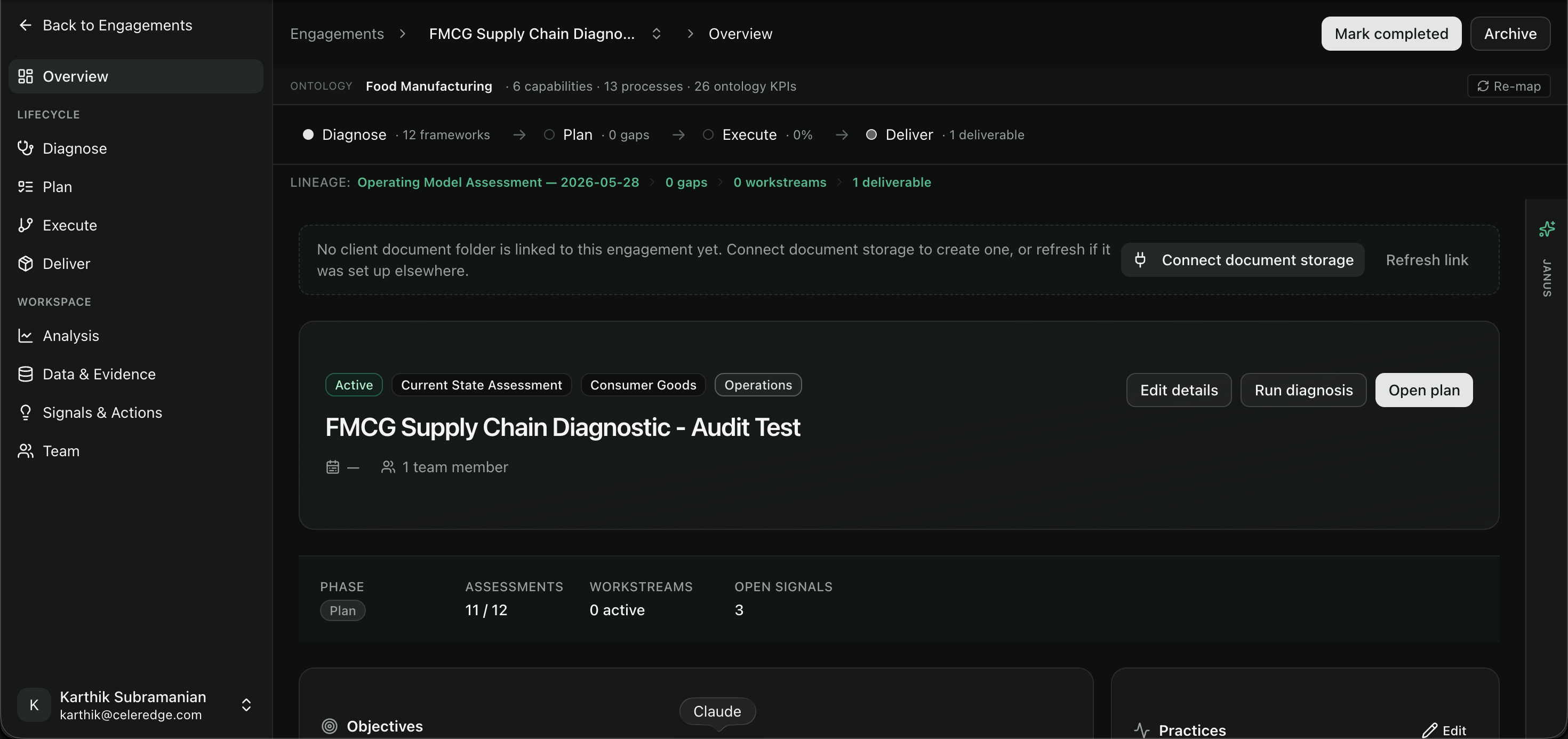
You'll land on the engagement Overview — the home screen with the lifecycle rail, objectives, team, and quick actions.
Step 3 — Build the team
Open Team, add the colleagues working this engagement, assign their roles, and set the engagement lead. See Team.
Step 4 — Collect evidence
Open Data & sources:
- Upload documents — drag in the client's files. Each is indexed so the AI can retrieve and cite from it. Watch the indexing status reach ready.
- Connect sources (optional) — link a database, CRM, or document store. Your firm's org-level defaults are inherited and can be overridden per engagement.
- Collect data (optional) — launch a topic-based AI interview to capture evidence conversationally from a stakeholder.
See Data & sources and Evidence Collection.
Step 5 — Diagnose
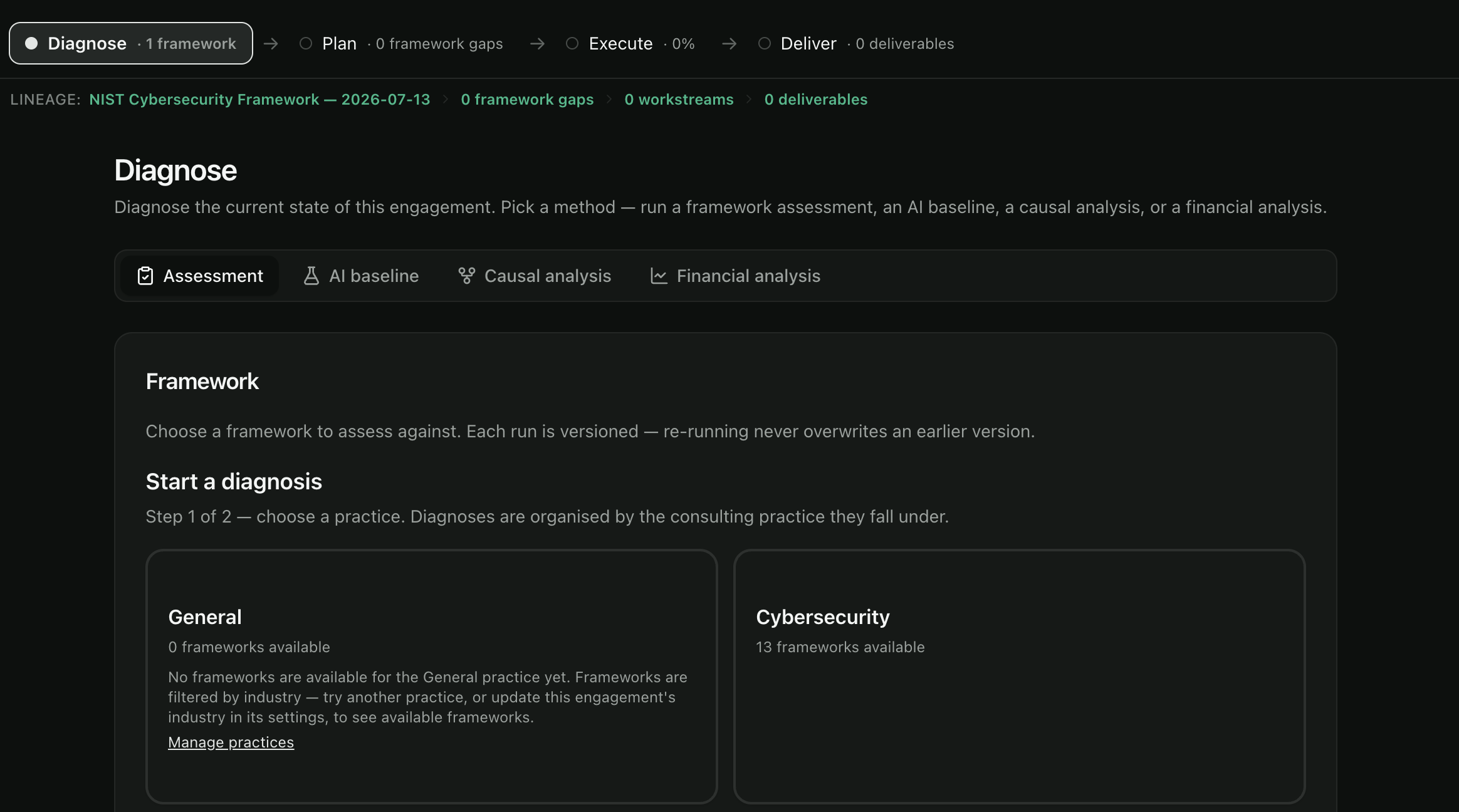
Open Diagnose and pick a method — Assessment or AI baseline. (Causal & impact and Financial model live in the Analysis workspace.) To score against a framework, use Assessment:
- Pick a practice (Step 1 of 2) — diagnoses are organised by consulting practice.
- Pick a framework (Step 2 of 2) — choose a framework from that practice. Runs are versioned, so you can re-run as evidence improves.
- Generate answers — click Run Assessment; AI drafts an answer for each question from your evidence, streaming in as each completes.
- Review determinations — check each answer's confidence and cited evidence; a sign-off counter tracks your progress.
- Accept answers — accept to unlock analysis and carry the resulting gaps into Deliver.
See Diagnose and Running Assessments.
Step 6 — Work the gaps
Turning gaps into committed workstreams and a roadmap, and tracking their delivery,
now happen within Diagnose and Deliver — the former /plan and /execute routes
redirect there. Accept the AI-suggested workstreams, sequence them with owners and timing,
and each workstream stays linked back to its source gap so delivery never loses its "why".
Step 7 — Deliver
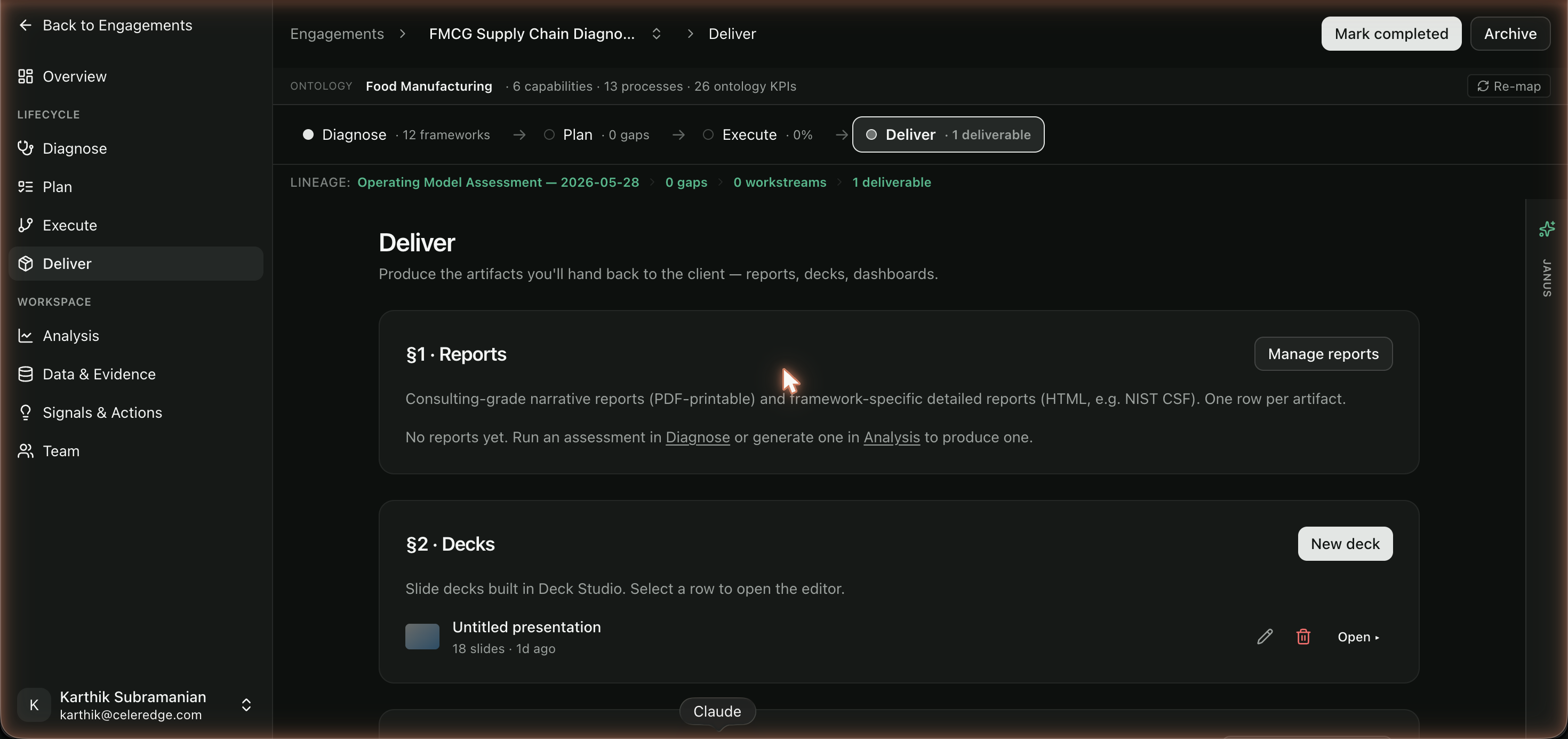
Open Deliver and produce a client artifact:
- a narrative report,
- a deck built in Deck Studio,
- or a KPI dashboard.
Every artifact is grounded in your evidence and registers as a deliverable on the engagement (and rolls up into the firm-wide Knowledge Vault).
You're done
You've run a complete engagement. From here:
- Explore the AI features — Autopilot baseline, Ask the Data, Signals.
- Learn how to trust generated outputs in Citations & Trust.
- Reuse your work via the Knowledge Vault.