Command Center
The Command Center is your firm's home screen — the first thing you see when you sign in. It pulls together what's happening across all your engagements so you can see, at a glance, where attention is needed.
Who can access
All firm users. The view reflects the engagements you can see; an Organization Admin sees firm-wide activity.
How it works
The Command Center surfaces real cross-engagement intelligence:
| Panel | What it shows |
|---|---|
| Active engagements | Count of in-flight engagements, with the top engagements by recent activity |
| Open signals | Number of open signals across your top engagements |
| AI priorities | An AI-curated, cross-engagement focus list — what to pay attention to now |
| Top open signals | The highest-priority signals, each attributed to its source engagement |
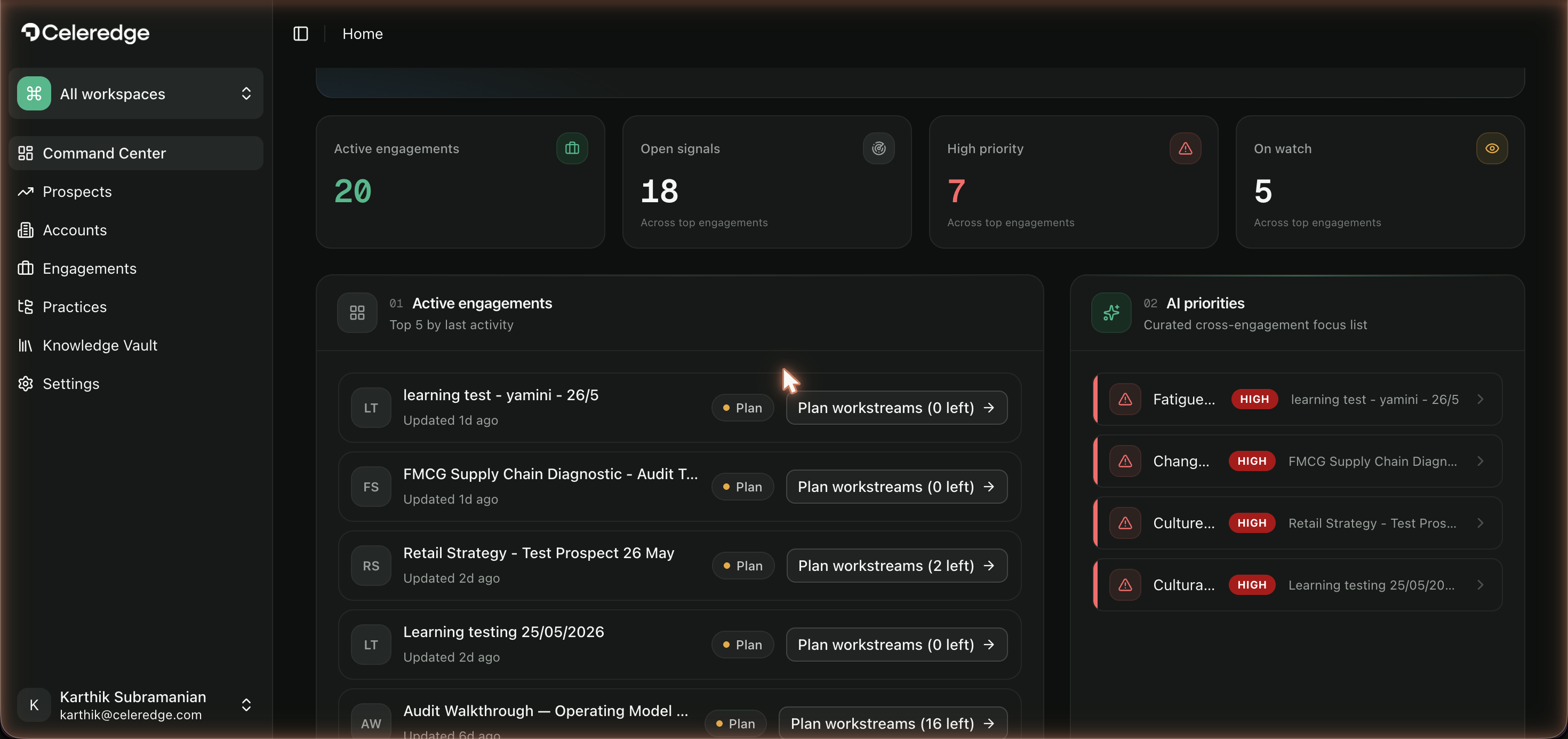
Every item links back to the engagement it came from, so the Command Center is a launchpad, not a dead end.
Step by step
- Sign in — you land on the Command Center.
- Scan AI priorities — review the curated cross-engagement focus list.
- Triage signals — open a top signal to see its evidence and jump to its engagement.
- Open an active engagement — click into any active engagement to continue the work.
Empty state
On a brand-new firm tenant, the Command Center shows zeros and "No active engagements yet" / "No active engagements to prioritise yet." This is expected — it fills in as you create engagements and run work. Start with Your First Engagement.
Best practices
- Start your day here. The AI priorities and top signals are designed to be a daily triage view.
- Follow the attribution. Each signal names its engagement — use it to jump straight to context.