Practices
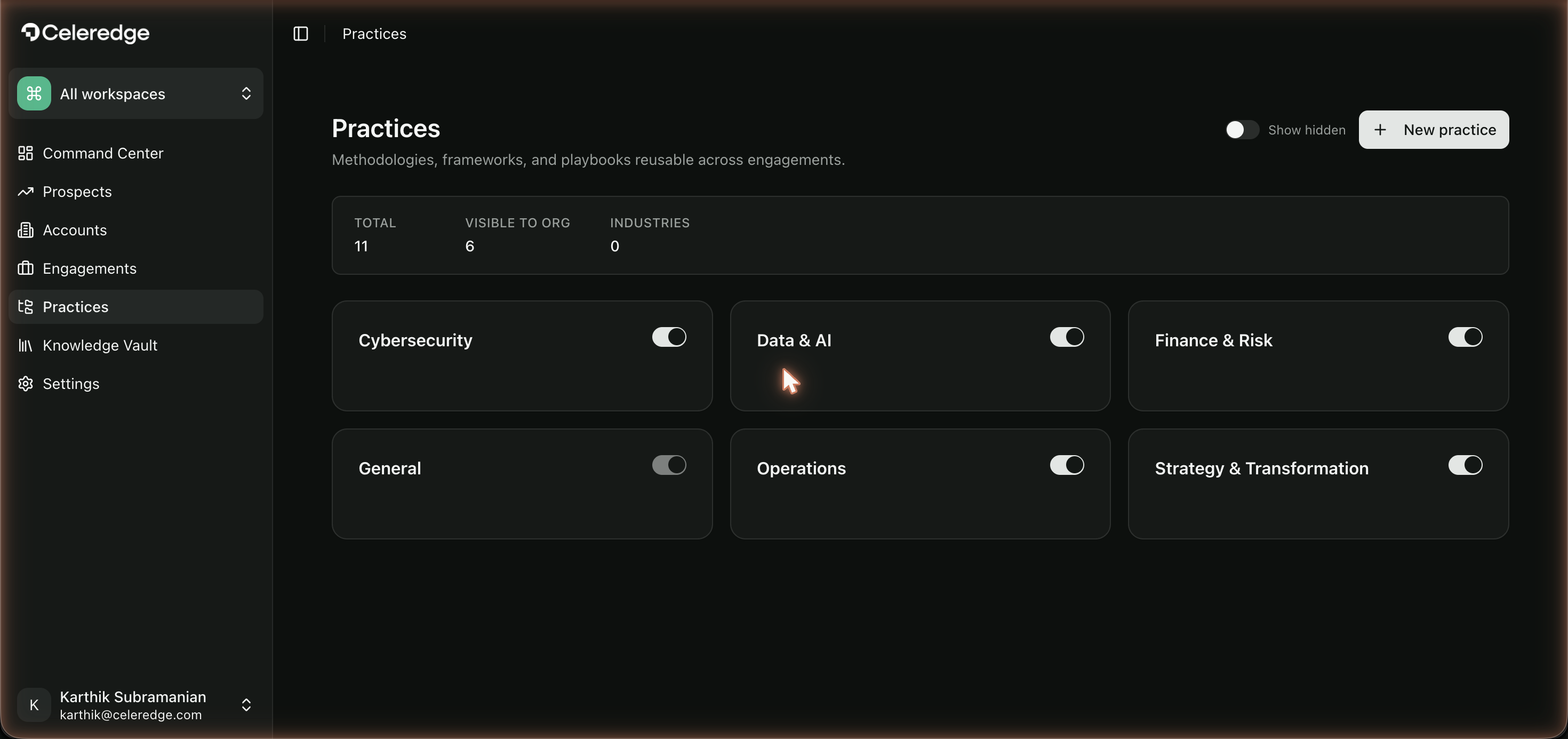
A Practice is a methodology area your firm offers — Operations, Strategy & Transformation, Cybersecurity, Data & AI, Finance & Risk, or General. Practices organize your firm's expertise and contain the frameworks consultants assess against.
Who can access
All firm users can see practices. Controlling visibility and assigning Practice Leads is an Organization Admin action. Authoring the frameworks inside a practice is done by Celeredge platform staff, not your firm.
How it works
The Practices page lets an Org Admin:
- Toggle practice visibility — control which practices appear for the firm. (Toggling off writes the practice to a hidden list.) General can't be hidden, and a practice that's in use by an active engagement is locked on.
- Assign Practice Leads — designate who owns each practice area.
- See frameworks per practice — each framework shows a source badge indicating where it comes from (org / shared / global).
Step by step
- Open Practices (Org Admin).
- Show or hide a practice with its toggle to control what consultants see.
- Assign a Practice Lead to own the area.
- Review frameworks within each practice and their source badges.
Best practices
- Only surface practices you deliver. Hiding unused practices keeps the framework picker in Diagnose focused.
- Give every active practice a Lead. The Practice Lead is the owner of methodology quality.
- Mind the locks. A practice in use by an active engagement stays visible by design — wind down the engagements first if you need to retire it.
Common errors
| Symptom | Likely cause | What to do |
|---|---|---|
| Can't hide a practice | It's General, or it's in use by an active engagement | General can't be hidden; complete or reassign the engagements using it |
| A framework isn't available to an engagement | Its practice is hidden, or the framework isn't published to your firm | Show the practice; confirm the framework is published |