Engagements
An Engagement is a specific, scoped piece of client work that belongs to an Account. It's the central object in Celeredge: evidence, assessments, gaps, workstreams, and deliverables all attach to an engagement.
This page covers creating and managing engagements from the firm level. For working inside an engagement, see the Engagement OS.
Who can access
All firm users can see the engagements list with org-wide visibility. Working inside an engagement requires being on its team.
How it works
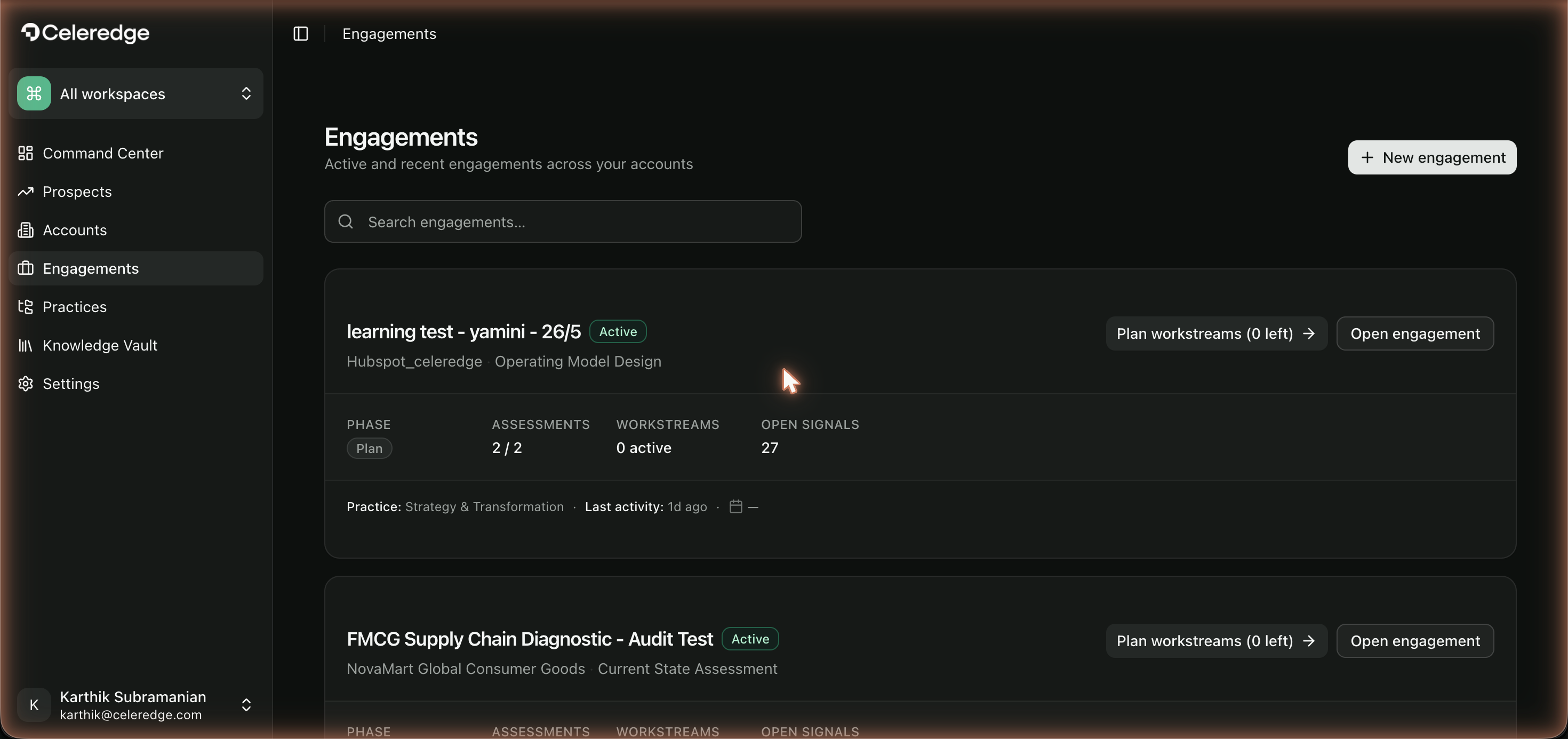
The engagements list shows searchable cards, each with live stats — phase, assessments completed vs total, workstreams, and open signals.
Step by step
Create an engagement
- Open Engagements and click New.
- Fill in the details: name, objective, industry, and the practices it draws on.
- The industry seeds the engagement's ontology and KPI tree.
- The practices determine which frameworks are available to assess against.
- Optionally pre-seed from a prospect or account.
- Save — you land on the engagement Overview.
Manage an engagement
- Track progress from the list cards (phase, assessment progress, workstreams, signals).
- Open any engagement to continue work through its lifecycle.
Best practices
- Write a sharp objective. The objective anchors AI analysis (e.g. the AI baseline pre-flight checks for it) — make it specific.
- Pick the right industry. It drives the ontology and KPI tree, which downstream analysis relies on.
- Scope one engagement per piece of work. Keeps lifecycle, evidence, and deliverables coherent.
Common errors
| Symptom | Likely cause | What to do |
|---|---|---|
| No frameworks available in Diagnose | The engagement's practices have no published frameworks, or they're hidden | Check practice visibility in Practices; confirm frameworks are published to your firm |
| Analysis pre-flight blocked | Objective, industry, or data source missing | Complete engagement details and connect data in Data & Evidence |