Autopilot Baseline
The AI baseline (autopilot analysis) produces an AI-generated starting analysis of the engagement. To keep results grounded rather than speculative, it runs a pre-flight readiness check before it will start.
Who can access
Members of the engagement team.
How it works
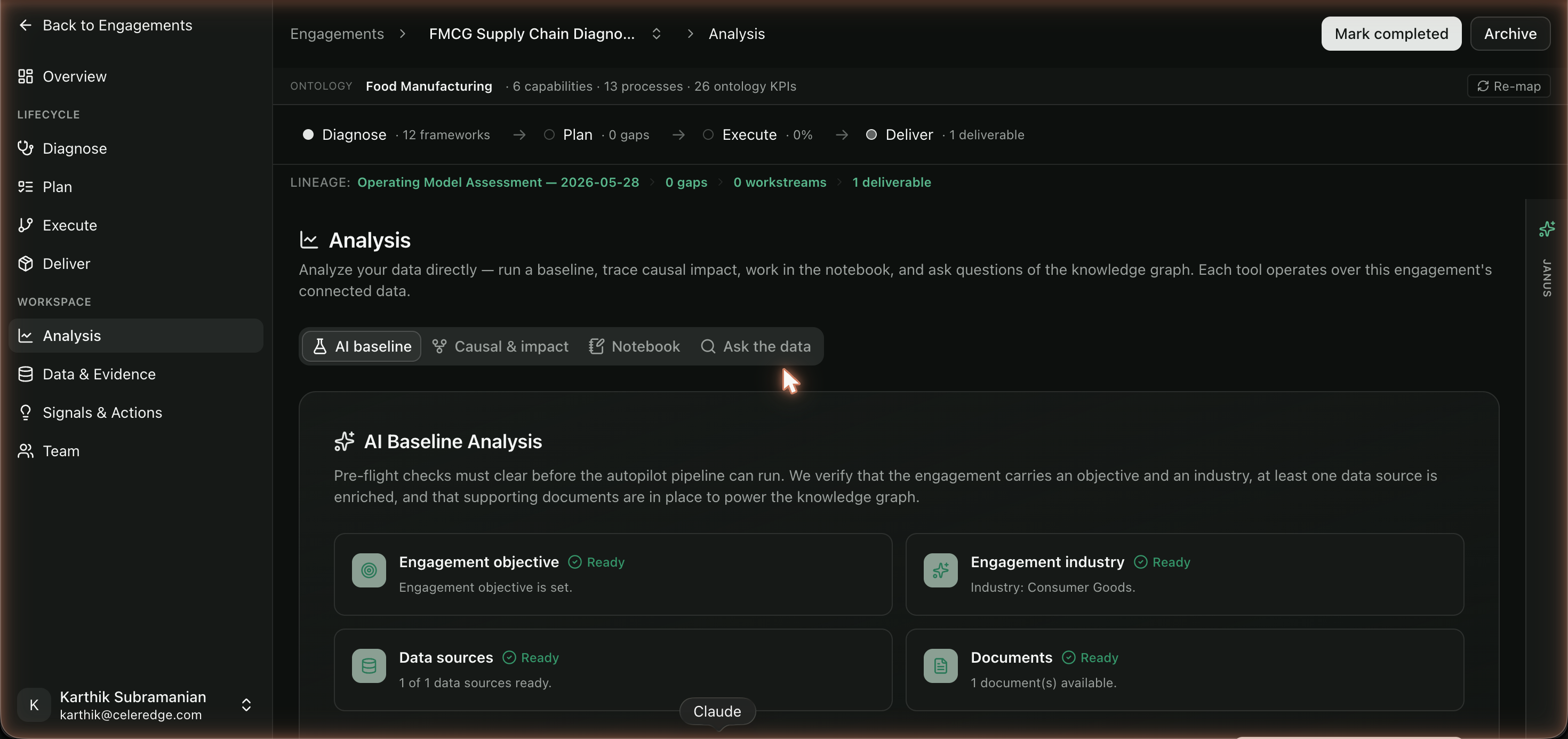
Autopilot won't run on an empty engagement. Its pre-flight gate checks that the engagement has enough context to produce a grounded baseline:
| Pre-flight check | Why it's required |
|---|---|
| Objective ✓ | The baseline needs to know what the engagement is trying to achieve |
| Industry ✓ | Drives the ontology and KPI tree the analysis maps to |
| Data source enriched ✓ | There must be real data to analyze |
| Documents ✓ | Evidence to ground the analysis in |
Only when the checks pass does the baseline run. This is the readiness contract that keeps autopilot honest.
Step by step
- Open Analysis → AI baseline in the engagement.
- Resolve the pre-flight checklist — fill in the objective, set the industry, connect/enrich a data source, and upload documents until all checks are green.
- Run the baseline.
- Review the output and promote useful findings as insights on the Analysis page.
Best practices
- Treat pre-flight as quality control, not a hurdle. Each check exists because skipping it produces a weaker, less grounded baseline.
- Set a sharp objective. A vague objective yields a vague baseline.
- Enrich data before running. More connected, indexed data means a more grounded result.
Common errors
| Symptom | Likely cause | What to do |
|---|---|---|
| Baseline won't start | One or more pre-flight checks unmet | Complete the missing item (objective, industry, data, documents) |
| Output feels generic | Pre-flight passed on minimal data | Add more evidence and re-run |