Ask the Data
Ask the Data lets you query an engagement's data in plain language and get back grounded answers with sources. It lives in the engagement's Analysis workspace.
Who can access
Members of the engagement team.
How it works
Ask the Data spans two distinct data paths — knowing which is which helps you trust the result.
1. Knowledge-graph chat (grounded answers with sources)
Ask a question and Celeredge answers from the engagement's indexed knowledge — documents and connected data — and returns the answer with citations you can open and verify. This is the same grounding spine described in Citations & Trust.
2. Database questions → verifiable query
When the answer comes from a connected database, Celeredge translates your question into a query, runs it, and returns the result together with the query that produced it. The number is "backed by a verifiable query" — you can see exactly how it was computed. (These are the same Database KPIs built from the engagement's KPI tree.)
3. Financial / uploaded spreadsheets → computed snapshot
For uploaded tabular documents (CSV/XLSX), Celeredge uses a separate, sandboxed computation path to produce a Financial KPI snapshot. This is distinct from the database path above — it operates on the spreadsheet you uploaded rather than a live database connection.
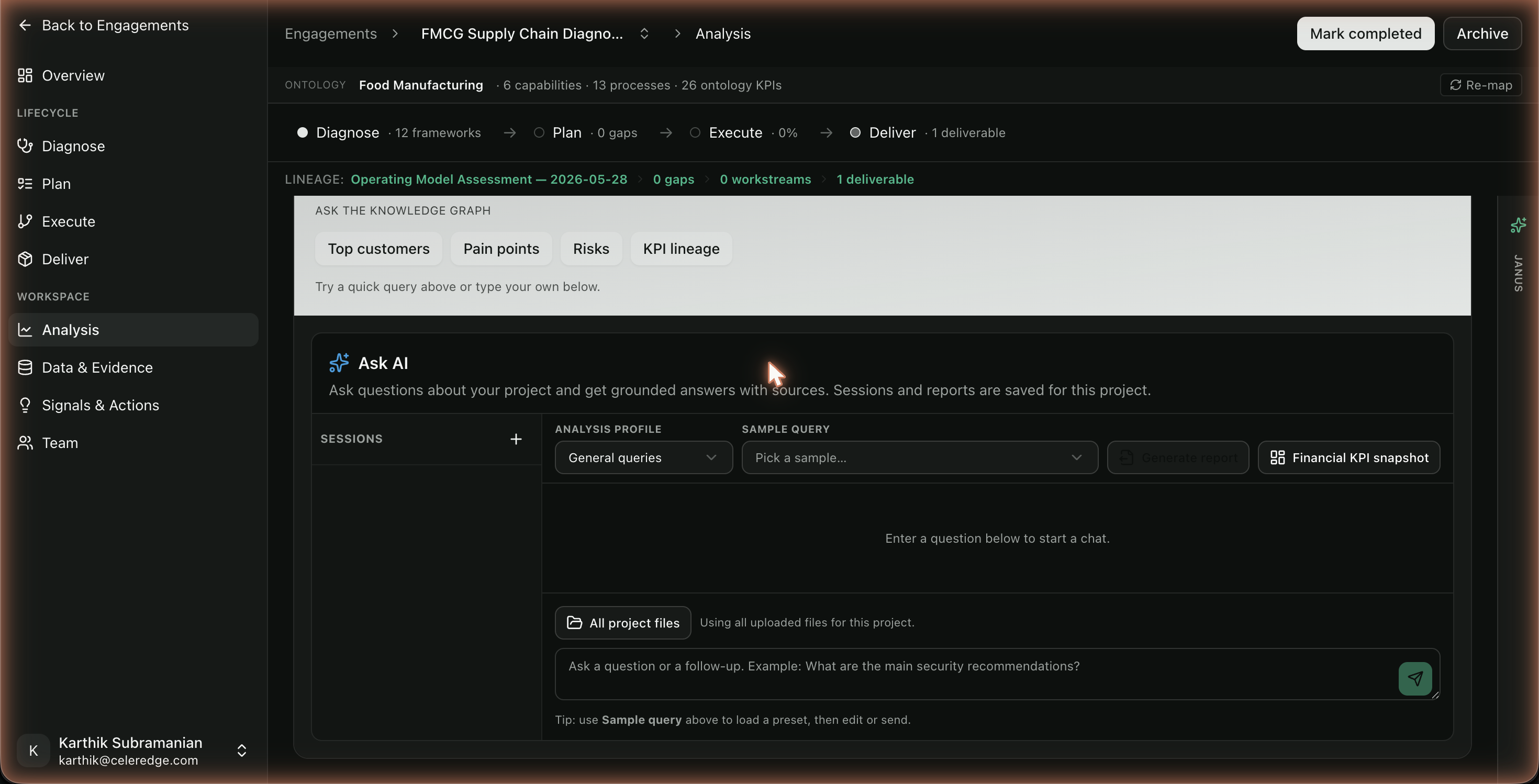
Two number sources, kept separate: Database KPIs come from a connected live database (each with its query); Financial KPIs are computed from uploaded spreadsheets. Both are designed to be verifiable, but they're different pipelines — check which one a number came from.
Step by step
- Open Analysis → Ask the data in the engagement.
- Type a question in natural language.
- Read the answer and its sources — open citations or the generated query to verify.
- For spreadsheets, review the Financial KPI snapshot computed from your uploaded file.
- Optionally generate a report from the analysis.
Best practices
- Be specific. Precise questions retrieve more relevant evidence and produce sharper answers.
- Open the query for numbers. For any figure headed to a client, inspect the generated query or the source citation.
- Connect data first. Ask the Data is only as good as what's indexed and connected — see Data & Evidence.
Common errors
| Symptom | Likely cause | What to do |
|---|---|---|
| "No sources" / thin answer | Little indexed evidence | Upload documents or connect a source, then retry |
| Database question returns nothing | No database connected, or the question doesn't map to the data | Connect a database in Database connections; rephrase |
| Spreadsheet KPI unavailable | The financial/tabular path may be gated in your environment | Confirm with your admin that the feature is enabled |