Execute
Execute is the third lifecycle phase. It's where committed workstreams are delivered and where the team captures insights as the work progresses.
Who can access
Members of the engagement team.
How it works
Execute has two sections.
| Section | What it does |
|---|---|
| 1. Workstreams | Track in-flight delivery; each workstream carries a lineage chip back to its source gap, dimension, and practice |
| 2. Insights | Curated insights drawn from notebook cells and causal analysis runs |
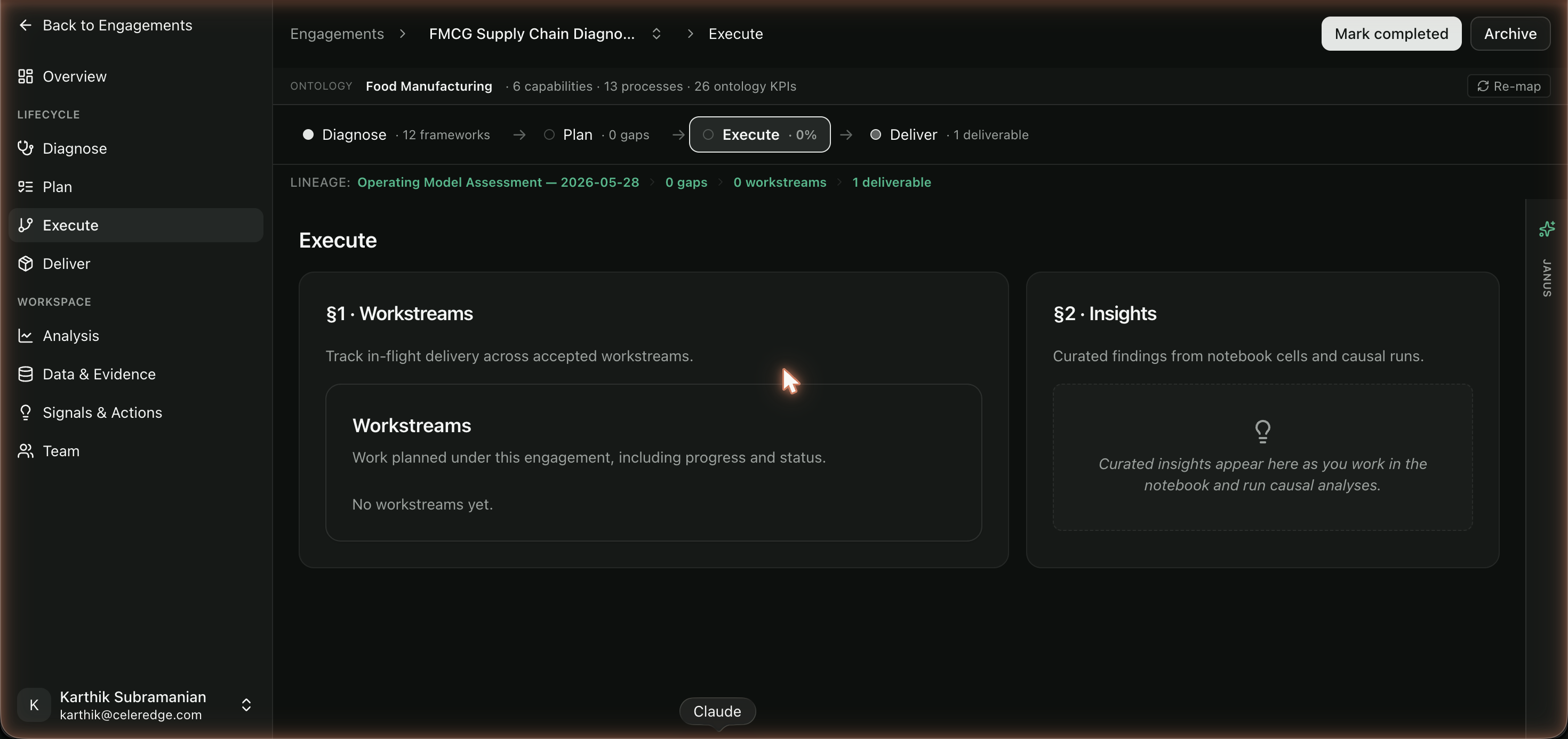
Because every workstream keeps its lineage, you can always answer "why are we doing this?" — it links back to the gap that justified it, and through that to the assessment dimension and practice.
Step by step
- Track workstreams. Open section 1 to see the workstreams committed from Plan. Update their status as delivery progresses.
- Capture insights. As you run analysis (notebook cells, causal runs), promote the meaningful findings into section 2 so they're preserved and ready for Deliver.
Best practices
- Keep workstream status current. The lineage view is only useful if statuses reflect reality — it's what the engagement lead and Org Admin see.
- Promote insights as you find them. Don't wait until Deliver to curate what you learned; capture insights in the moment from the notebook and causal analysis.
Common errors
| Symptom | Likely cause | What to do |
|---|---|---|
| No workstreams listed | None were committed in Plan | Go to Plan, accept recommendations to commit workstreams |
| Insights section empty | No analysis has been promoted | Run analysis in Analysis and promote findings to insights |
Related
- Plan — where workstreams are committed
- Deliver — package insights and workstream outcomes
- Notebook and Causal Analysis