Evidence Vault
The Evidence Vault is the engagement's audit trail: every data point used across the engagement, each with a link back to its original source. It's what makes "we can prove it" a literal, clickable claim.
Who can access
Members of the engagement team.
How it works
As the engagement runs, evidence used in findings is captured into the vault. Each record shows what the evidence is, where it came from, and links back to the original — a document passage, a database result, a signal, or an insight.
You reach it via "Browse all captured evidence" on the Data & Evidence hub, or by clicking "Open source" on any citation — which deep-links straight to that record and highlights it.
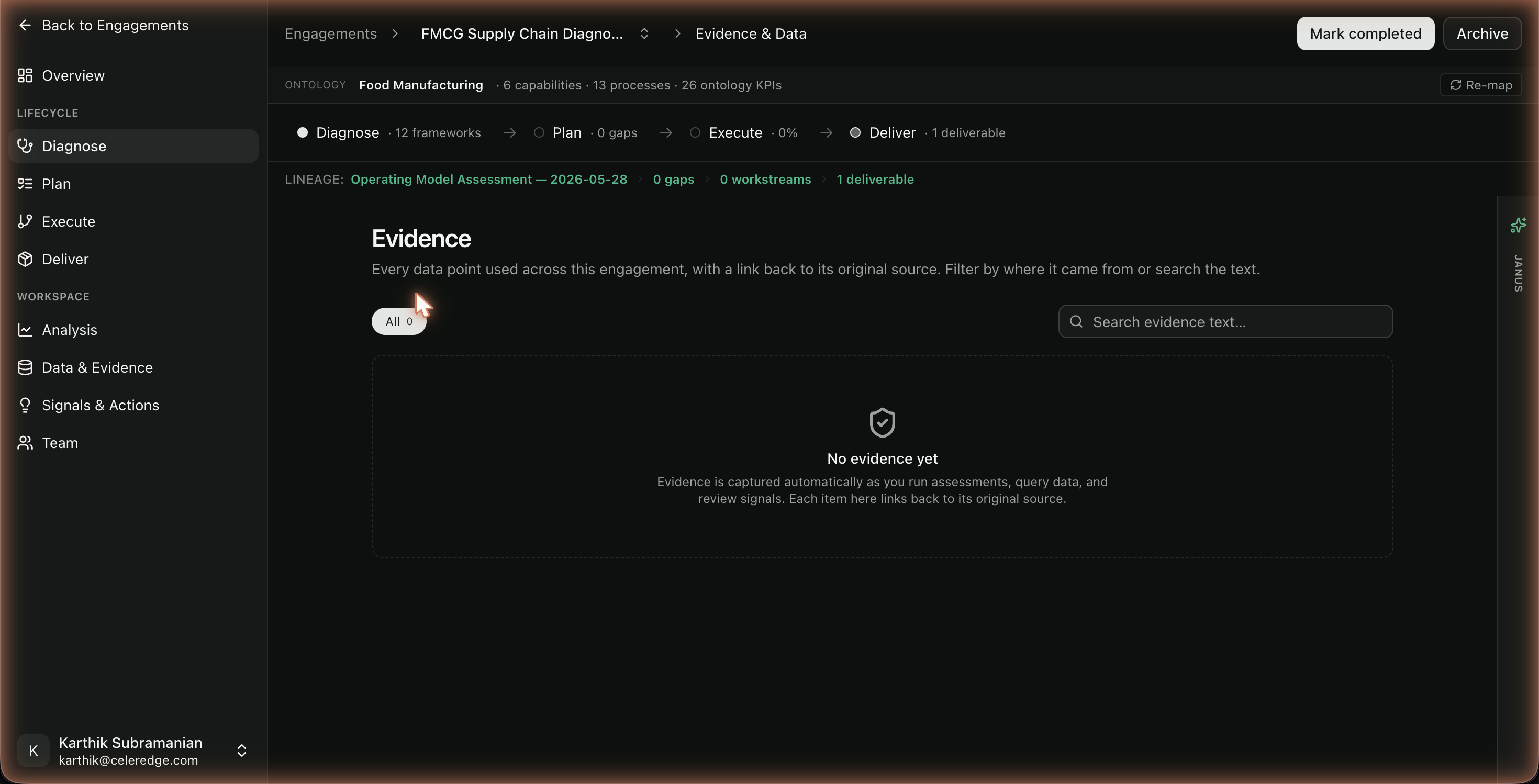
When records appear
The vault fills as evidence is used and accepted. In particular, accepting assessment answers materializes their evidence into the vault as durable records. A brand-new engagement — or one where you haven't accepted any answers yet — shows an empty vault ("No evidence yet"); this is expected.
Step by step
- Open Data & sources and click "Browse all captured evidence" (or open Evidence Vault from the sidebar).
- Filter by source type (documents, database, signals, insights) to find what you need.
- Open a record to see the original source.
- From anywhere a citation appears, click "Open source" to jump directly to its vault record.
Best practices
- Use it to defend the work. Before a client review, walk the vault to confirm key claims trace to real sources.
- Accept answers to build the record. The vault grows as you accept assessment findings — it's part of finishing Diagnose well.
Common errors
| Symptom | Likely cause | What to do |
|---|---|---|
| Vault is empty | No answers accepted yet / new engagement | Run an assessment in Diagnose and accept answers |
| "Open source" doesn't land | Record not yet materialized | Ensure the answer was accepted; the vault populates on accept |